
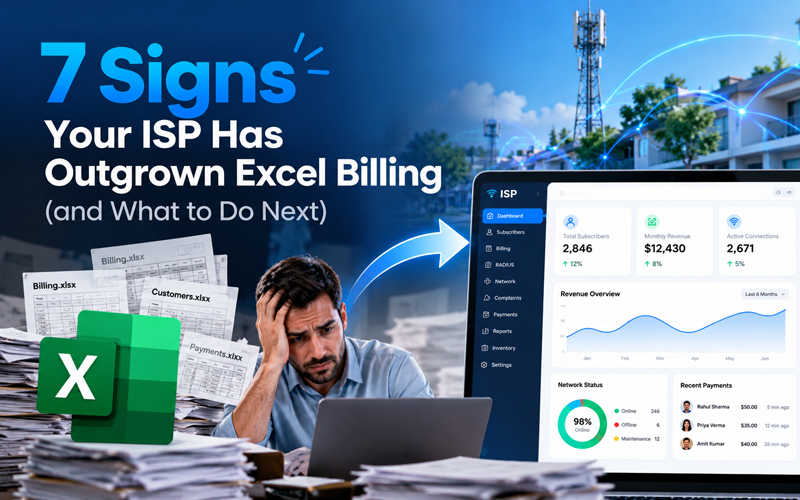
Almost every ISP starts its billing in Excel. When you have 50 or 100 subscribers, a spreadsheet with names, plans, due dates and a payment column does the job. It is free, everyone knows how to use it, and you can set it up in an afternoon.
The trouble is that a spreadsheet does not grow the way your network does. Each new subscriber, plan, branch and payment mode adds more manual work. One day the sheet that used to save you time becomes the thing that slows you down most.
If you run a broadband or cable ISP and still bill in Excel, use this checklist. If three or more of these signs sound familiar, it is time to move to dedicated ISP billing software.
7 signs your ISP has outgrown Excel billing
1. Billing day takes days, not hours
At the start of every cycle, someone copies last month’s sheet, updates plan changes, works out pro-rata amounts and creates invoices one by one. With a few hundred subscribers, this takes the whole team several days. Billing software creates every invoice automatically on the renewal date and sends it to the customer by SMS and email.
2. Payments don’t match your bank statement
Subscribers pay by cash, UPI, cards, net banking and through collection agents. In Excel, each payment is typed in by hand, so entries go missing, get duplicated or land on the wrong row. Month-end reconciliation becomes a hunt for the difference. Payment gateway integration records online payments against the right account automatically, and pending dues show up on a single screen.
3. Users stay online after their plan expires
This is the most expensive sign. When billing lives in Excel and authentication lives on your router or RADIUS server, someone has to manually suspend users who haven’t paid and reactivate them when they do. Every missed suspension is free bandwidth. With RADIUS integration, an expired plan suspends the PPPoE user automatically, and a renewal restores access in seconds.
4. GST filing is a monthly headache
GST-compliant invoices need the right GSTIN, HSN/SAC code, tax split and invoice numbering. Spreadsheet formulas break when someone inserts a row or copies the wrong template. Your accountant then spends days fixing invoices before filing. Billing software calculates GST on every invoice and produces tax reports you can hand over directly.
5. Complaints are tracked on WhatsApp and paper
When billing is in Excel, complaints usually live somewhere else: a WhatsApp group, a register, or a technician’s memory. Nobody can see which tickets are open, how long they have been waiting or which area has the most faults. A built-in complaint management system links each ticket to the subscriber, assigns it to an engineer and tracks it from open to closed.
6. Only one person really understands the sheet
Most ISPs have one person who knows which tab holds what and which formulas must not be touched. When that person is on leave, billing stops. When they leave the company, the knowledge goes with them. Excel also has no proper user roles, so anyone with the file can see or change every customer’s data. Billing software gives each staff member a login with only the permissions they need, plus an audit log of every change.
7. You are adding branches, resellers or franchise partners
One sheet per branch soon means a dozen files that never add up to one clear number. Reseller commissions are worked out by hand, and you can’t see real-time revenue across the business. If you plan to grow into new areas, a cloud-based system with multi-branch and reseller management is the foundation you need first.
Excel vs ISP billing software
| Task | Excel | ISP billing software |
|---|---|---|
| Invoice generation | Manual, one by one | Automatic on every renewal date |
| Payment collection | Typed in by hand | Online payments recorded automatically |
| Suspend unpaid users | Manual, on the router | Automatic through RADIUS |
| GST invoices and reports | Formulas that break | Built in and filing-ready |
| Complaint tracking | WhatsApp, registers | Tickets linked to each subscriber |
| Staff access control | Anyone with the file sees everything | Role-based logins and audit logs |
| Multi-branch and resellers | Separate files per branch | One dashboard, commissions calculated |
| Customer self-service | Not possible | Customer app and portal for payments and recharges |
What to do next: moving from Excel without disruption
Switching billing systems sounds risky, but a planned move can happen alongside your normal operations. Follow these steps.
- Clean your Excel data. Remove duplicate customers, fix phone numbers and make sure every subscriber has a plan, an expiry date and an outstanding balance. Clean data is the single biggest factor in a smooth migration.
- List your must-have features. Write down what you need on day one, such as RADIUS or MikroTik integration, GST invoicing, payment gateways, complaint management and reseller support.
- Book demos and test with your own data. Ask each vendor to show your real workflows, not a generic presentation. Check how the software handles plan changes, partial payments and suspensions.
- Pick a quiet migration window. Start the move just after a billing cycle closes, so you aren’t importing data in the middle of collections.
- Run both systems in parallel for one cycle. Keep Excel as a backup for the first month and compare totals. Once the numbers match, retire the spreadsheet.
- Train your team and tell your subscribers. Train billing staff, collection agents and engineers on their own logins. Then let subscribers know about the new payment app or portal.
Frequently asked questions
There is no fixed number, but most ISPs feel the strain somewhere between 200 and 500 subscribers. The real trigger is complexity, not size: multiple plans, payment modes, branches or staff members make Excel hard to manage much sooner.
No. A good billing software provider imports your existing Excel data, including subscriber details, plans, expiry dates and outstanding dues. Clean the sheet before migration to avoid carrying old errors into the new system.
Yes. ISPMate integrates with MikroTik and RADIUS servers to create, suspend and reactivate PPPoE users automatically, based on each subscriber’s plan and payment status.
Cloud-based billing software usually costs less than the staff time and lost revenue that manual billing causes. Unpaid users who stay online and missed renewals often cost more than the software itself.
Conclusion
Excel helped you start your ISP, but it was never built to run one at scale. Slow billing days, mismatched payments, users who stay online after expiry and scattered complaints are all signs that the spreadsheet now holds you back.
ISPMate brings billing, RADIUS, GST invoicing, payments, complaints and reseller management into one dashboard. It is built for ISPs moving off spreadsheets, and our team handles the data migration with you.
Ready to retire your billing spreadsheet? Schedule a free demo or call us at +91-9310313545 to see ISPMate working with your own plans and workflows.