
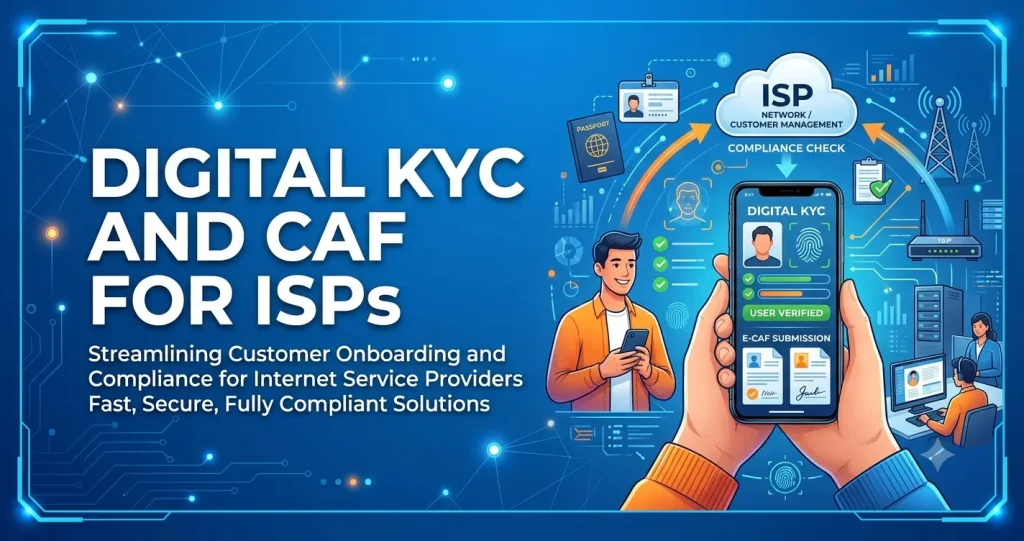
Every broadband connection starts with paperwork: a Customer Application Form (CAF), an ID proof, an address proof and a photo. For most local ISPs this still means paper forms filled at the customer’s door, photocopies in a bag, and files stacked in the office. Forms go missing, photos are unclear, and when an audit or a police request comes, finding one customer’s papers takes hours. Digital KYC solves this. This guide explains what a CAF must contain, how a digital KYC process works for broadband, which documents to collect, how to store them safely, and the rules to keep in mind.
Note: KYC rules for telecom services are changing under the Telecommunications Act, 2023. This guide explains good practice. Always follow the latest instructions from the Department of Telecommunications (DoT) that apply to your authorisation.
What is a CAF?
A Customer Application Form (CAF) is the record of who the subscriber is, where the connection is installed and what they agreed to. Your ISP licence or authorisation requires you to verify each customer before giving a connection, and the CAF with its documents is the proof that you did.
A good CAF for broadband includes:
- Subscriber name, father’s or spouse’s name, date of birth and gender
- Mobile number and email, verified by OTP
- Installation address and, if different, permanent or billing address
- ID proof and address proof details, with document images
- A live photograph of the subscriber
- Plan, connection type, username or account ID and installation date
- Device details, such as ONT or router serial number, and whether it is free, on deposit or sold
- For business connections: company name, GST number and the authorised person’s details
- Customer consent to the terms of service and to the use of their data
- Name of the staff member or partner who collected the KYC, with date and time
Paper KYC vs digital KYC
| Paper CAF | Digital KYC | |
|---|---|---|
| Time to activate | Forms travel to the office before activation | Documents reach the office the moment they are uploaded |
| Missing or unclear documents | Found days later, often after activation | Checked before the connection is activated |
| Finding one customer’s papers | Search through files | Open the subscriber profile |
| Security | Photocopies can be lost, copied or misused | Access controlled by staff role, with a log of who viewed what |
| Copy to customer | Rarely given | Sent as a PDF by email or link |
| Storage | Cupboards and rooms | Cloud, with backups |
How a digital KYC process works for broadband
- Lead or booking. The customer enquires and a sales or field staff member creates the connection request.
- Mobile verification. The customer’s mobile number is confirmed with an OTP, so you know the number is real and belongs to the person in front of you.
- Live photo. The engineer or sales staff takes a live photo of the customer with the app at the installation address, not a photo of a photo.
- Document upload. Clear photos or scans of the ID and address proof are uploaded, front and back.
- Details filled once. Name, address, plan and device details are entered in the app and become the subscriber profile, so nobody types them again in the office.
- Consent. The customer accepts the terms and the use of their data, for example with an OTP or signature on the screen.
- Back office check. A KYC executive checks that the name, photo and documents match, and approves or rejects with a reason.
- Activation. The connection is activated only after the KYC is approved.
- Copy to customer. The customer receives a copy of their CAF, ideally as a password-protected PDF.
Documents to collect
Individual customers
- Identity proof: Aadhaar (masked), passport, voter ID, driving licence or PAN card.
- Address proof: Aadhaar, passport, voter ID, driving licence, or a recent utility bill or registered rent agreement for the installation address.
- Photo: a live photograph taken at the time of KYC.
Business connections
- Certificate of incorporation, partnership deed or shop registration
- GST registration certificate, if the customer wants GST invoices
- Authorisation letter for the person signing, with their ID proof and photo
- Proof of the installation address
Tenants: the ID proof may show a different city. In that case collect a proof of the installation address, such as a rent agreement or a recent utility bill, so the record shows where the connection really is.
Handling Aadhaar correctly
- Use masked Aadhaar. UIDAI recommends sharing a masked Aadhaar, which hides the first eight digits. Ask customers to download it from the UIDAI website or app, or mask the number before saving the image.
- Do not collect more than you need. If another document already proves identity and address, you do not need Aadhaar as well.
- Aadhaar e-KYC is restricted. Online Aadhaar authentication can be used only by entities allowed by UIDAI and the government, usually through an authorised partner. If you are not set up for it, use document-based digital KYC instead.
- Never display Aadhaar numbers on invoices, receipts, labels or reports.
Storing KYC documents safely
- Restrict access by role. Only staff who need KYC documents, such as the KYC executive and managers, should be able to open them. Engineers and resellers should see only their own customers.
- Keep a log. Record who uploaded, viewed, changed or deleted any KYC document.
- Do not use WhatsApp groups or personal phones to collect or store documents. Delete documents from staff phones once they are uploaded.
- Keep records for the required period. Keep KYC records for as long as your licence and DoT instructions require, including after a customer disconnects. Old customers should move to a separate list, not be deleted.
- Back up regularly and make sure the documents can be exported if an authority asks for them.
The rules to keep in mind
- Licence condition: ISP licences and authorisations require you to verify every customer before enrolling them, and to follow DoT’s instructions on verification.
- Telecommunications Act, 2023: section 3(7) requires authorised entities to identify users through verifiable biometric-based identification for services notified by the government. In 2026 DoT notified the Telecommunications (User Identification) Rules. Check whether and how these rules apply to your broadband service, and follow any new DoT instructions for wireline and internet services.
- Data protection: KYC documents are personal data under the Digital Personal Data Protection (DPDP) Act. The DPDP Rules were notified in November 2025 and most duties apply from May 2027. Collect only what you need, tell customers why, keep it secure and report breaches. Start preparing now.
- Law enforcement requests: when police or other authorities ask who used an IP address, you need both the logs and the KYC of the subscriber. Digital records make this quick.
Not sure which authorisation your business holds? See our guide to ISP licence categories A, B and C.
Common mistakes
- Activating first, collecting KYC later. Many forms never come back once the internet is working.
- Accepting unclear photos. A blurred document is as good as no document during an audit.
- Using the ID address as the installation address without checking. The connection address must be recorded correctly.
- KYC on staff phones and WhatsApp. This spreads customer documents across many devices you do not control.
- Deleting old customers. Disconnected customers’ KYC may still be needed for past logs and requests.
- No checks on reseller KYC. Franchise and reseller connections need the same KYC standard, because the licence is yours.
How ISPMate helps with digital KYC
ISPMate is cloud-based ISP billing software for internet service providers in India. KYC sits inside the subscriber profile, next to the plan, billing and complaints:
- Digital CAF and KYC documents with controlled access
- Customer profiles with plans, billing cycles, usage and documents
- Engineer app for tasks and ticket updates in the field
- Role management to control what each staff member can see and do
- Deep audit logs of every change made by staff and partners
- Old and terminated users kept in a separate list for win-back and restore
- CTS/NAT logs and auth logs, so you can match an IP address to a subscriber when asked
Managing resellers and franchise partners? Read our guide to ISP franchise and LCO partner management.
Frequently asked questions
What is a CAF in broadband?
A CAF (Customer Application Form) is the record of a broadband subscriber’s identity, address, plan and consent, along with their ID proof, address proof and photo. It shows that the ISP verified the customer before giving the connection.
Is KYC mandatory for broadband connections?
Yes. ISP licences and authorisations require the provider to verify every customer before enrolling them and to follow DoT’s verification instructions. Rules under the Telecommunications Act, 2023 are also changing, so check the latest DoT instructions for your service.
Can an ISP do KYC digitally?
Yes. Many ISPs collect a live photo, document images and customer details through an app, confirm the mobile number with an OTP, take consent and check the KYC in the back office before activation. The customer receives a copy of the CAF digitally.
Which documents are needed for a broadband connection?
Usually one identity proof, one address proof for the installation address and a live photo. Common documents are masked Aadhaar, passport, voter ID, driving licence, and a utility bill or rent agreement for the address. Businesses also provide registration and GST documents and an authorisation letter.
How long should an ISP keep KYC records?
Keep them for as long as your licence and DoT instructions require, including after the customer disconnects, because they may be needed to answer requests about past usage. Move old customers to a separate list instead of deleting their records.
Still collecting CAFs on paper? Book a free ISPMate demo or call +91-9310313545.
Sources: DoT ISP licence conditions on subscriber verification; Telecommunications Act, 2023 (section 3(7)); Telecommunications (User Identification) Rules, 2026; UIDAI guidance on masked Aadhaar; Digital Personal Data Protection Act, 2023 and DPDP Rules, 2025. This article is general information, not legal advice. Last reviewed: November 2026.