
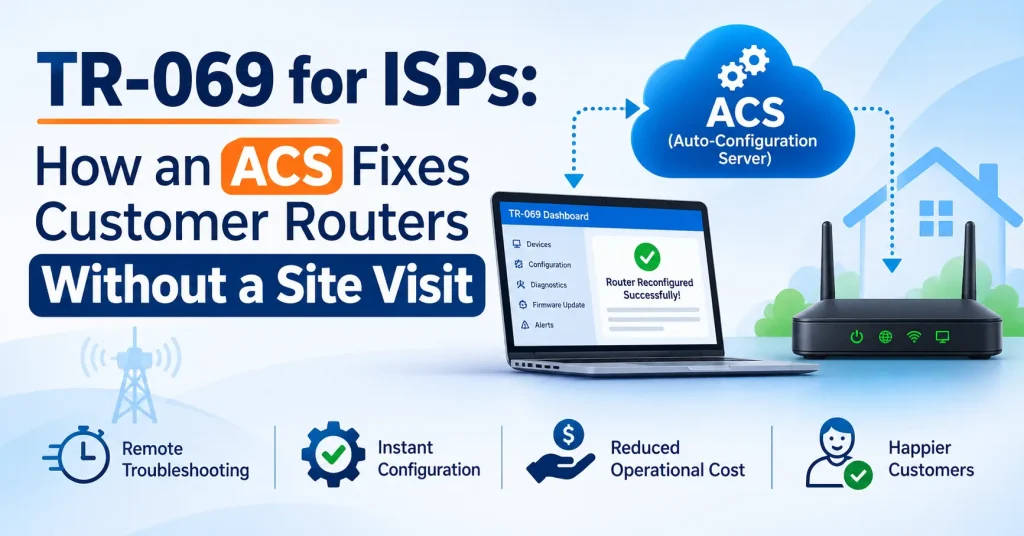
A large share of broadband complaints have nothing to do with fibre or the core network. The customer forgot the Wi-Fi password, the router is on an old firmware, the 5 GHz band is switched off, or the device simply needs a restart. Yet many ISPs still send an engineer for each of these calls. TR-069 changes that. It lets your office reach the customer’s router or ONT remotely, see what is wrong and fix many problems in minutes. This guide explains what TR-069 and an ACS are, how they work, what your support team can fix without a site visit, and how to roll it out safely.
What is TR-069?
TR-069 is a standard from the Broadband Forum that lets a service provider manage customer devices such as routers, ONTs and set-top boxes from a central server. Its official name is CPE WAN Management Protocol (CWMP). It was first published in 2004 and is now supported by most ISP-grade routers and GPON/EPON ONTs.
Two parts work together:
- CPE (Customer Premises Equipment): the router, ONT or other device at the customer’s home or office.
- ACS (Auto Configuration Server): the server at the ISP that keeps a record of every device and sends it settings and commands.
In simple terms, the ACS is a remote control for every TR-069 router on your network, linked to the subscriber who uses it.
How TR-069 works
- The device learns the ACS address. The ACS URL is set in the router or ONT, either from the factory, through a provisioning file, through DHCP (option 43) or, on many ONTs, through the OLT.
- The device contacts the ACS. When it starts up, and then at a fixed interval (for example every few hours), the device sends an Inform message to the ACS with its serial number, model, firmware and key settings.
- The ACS replies with tasks. In the same session the ACS can read values, change settings, start a reboot or ask for a firmware download.
- The ACS can call the device when needed. When support needs to act right away, the ACS sends a connection request (usually on port 7547) and the device opens a new session immediately instead of waiting for its next scheduled Inform.
Because the device starts the session to the ACS, TR-069 works well even when the customer is behind NAT. Only the instant connection request needs the ACS to reach the device, and the standard has methods for that too.
What your support team can do with an ACS
Exact features depend on the ACS and the device model, but the TR-069 standard includes commands for all of the following:
| Task | Example complaint | Without TR-069 | With TR-069 |
|---|---|---|---|
| Read device status | “Internet is not working” | Ask the customer to read lights and screens | See WAN status, PPPoE state, uptime and optical levels on screen |
| Change Wi-Fi name and password | “I forgot my Wi-Fi password” | Engineer visit or long phone call | Changed from the office in under a minute |
| Reboot | “Internet is very slow since yesterday” | Ask the customer to restart the router | Restart remotely and watch it come back |
| Firmware upgrade | Known bug or security issue on a model | Visit each home, or leave it unpatched | Push the update to all devices of that model |
| Configuration for a new connection | New installation | Engineer types settings on site | Device gets PPPoE, Wi-Fi and other settings automatically when it first connects |
| Diagnostics | “Some websites do not open” | Guesswork | Run ping and traceroute from the customer’s device |
| Factory reset and restore | Settings changed by the customer | Engineer visit | Reset and push the correct settings again |
Some devices also report connected Wi-Fi clients and signal strength, which helps when a customer says “the internet is slow” but the real problem is a weak Wi-Fi signal in one room.
Which complaints still need a site visit?
TR-069 cannot fix physical problems. You will still need an engineer for:
- A cut or bent fibre, or a damaged drop cable
- A dirty or loose connector, or low optical power that is not caused by settings
- A dead router or ONT, or a faulty power adapter
- Moving the router or adding a second access point for coverage
Even here the ACS helps. If the ONT shows no optical signal, or the device has stopped sending Informs, the support team knows before dispatch that it is a field issue and can send the engineer with the right tools and a spare device. For network-wide problems, see our guide on fibre cuts and outages.
How much can TR-069 save?
Here is a simple example. Use your own numbers.
- Subscribers: 3,000
- Complaints per month: 450
- Share that are device or settings problems (password, reboot, Wi-Fi settings, firmware): about 30%, or 135 complaints
- Average cost of an engineer visit (time, travel, fuel): ₹400
If the ACS lets support fix even 100 of those 135 complaints remotely, that is about ₹40,000 a month in visits saved, and the customer is back online in minutes instead of hours. Your engineers also get time for new installations, which bring in revenue.
What to check before choosing TR-069 devices and an ACS
- Device support: confirm that the routers and ONTs you buy support TR-069 and allow you to set the ACS URL. Some low-cost devices claim support but expose only a few settings.
- Data model: devices use a data model such as TR-098 or TR-181 to describe their settings. A good ACS handles both and maps them to simple screens for your staff.
- Link to subscribers: the ACS is far more useful when each device is linked to the subscriber, plan and complaint history, so support sees everything in one place instead of searching by serial number.
- Staff permissions: not every staff member should be able to reboot or reset customer devices. Control who can read, change or push firmware.
- Bulk actions: firmware updates and setting changes should work for one device or for all devices of a model, with a way to test on a few devices first.
- Logs: every remote action should be recorded with the staff name and time, in case a customer disputes a change.
Rolling out TR-069 step by step
- List your devices. Note the router and ONT models on your network and check which support TR-069.
- Start with new installations. Set the ACS URL on every new device from now on, ideally before it leaves the store.
- Bring in existing devices gradually. Push the ACS URL during routine visits, through the OLT where your ONT model allows it, or through a planned configuration update.
- Train support staff. Give them a short checklist: check status, check optical levels, check Wi-Fi, reboot, then escalate.
- Test firmware updates on a small group first. Update a few devices, wait a day or two, then update the rest of that model.
- Measure the result. Track how many complaints were solved remotely and how many site visits you avoided each month.
Security: do not leave TR-069 open
An ACS can change every router on your network, so it must be protected. In November 2016, around 900,000 routers belonging to customers of Deutsche Telekom in Germany went offline during an attack that targeted the remote management port 7547. Lessons for every ISP:
- Use HTTPS between devices and the ACS, not plain HTTP.
- Allow port 7547 only from your ACS. The connection request port on customer devices should not accept traffic from the internet.
- Use strong, unique credentials for the ACS and for connection requests, not factory defaults.
- Keep firmware up to date, which the ACS itself makes easy.
- Limit staff access with roles, and keep an audit log of every action.
TR-069 and TR-369 (USP)
The Broadband Forum has also published TR-369, called the User Services Platform (USP), as the next step after TR-069. It is designed for a wider range of devices and newer use cases. Most routers and ONTs used by Indian ISPs today still use TR-069, so it remains the practical choice now. If you buy new equipment, ask the vendor whether it supports both.
How ISPMate helps with TR-069
ISPMate is cloud-based ISP billing software for internet service providers in India. Its ACS (TR-069) device management module works in the same dashboard as billing, subscribers and complaints:
- TR-069 enabled routers and ONTs managed from one screen
- Many device problems handled without a site visit
- Device issues handled alongside the subscriber’s complaint tickets, so support sees the full picture
- Role management to control what each staff member can see and do
- Deep audit logs of every change made by staff and partners
- PPPoE users suspended on expiry and reconnected on payment through RADIUS
Planning a new fibre network? Read our guides on GPON vs EPON and how many subscribers to put on one PON port.
Frequently asked questions
What is TR-069 in simple words?
TR-069 is a standard that lets an internet service provider manage customer routers and ONTs from a central server, called an ACS. Using it, the ISP can check device status, change settings such as the Wi-Fi password, reboot the device and update firmware without visiting the customer.
What is an ACS?
An ACS (Auto Configuration Server) is the server at the ISP that TR-069 devices connect to. It keeps a record of every device and can read its settings, change them, run diagnostics, reboot it and send firmware updates.
Which port does TR-069 use?
Devices connect to the ACS over HTTP or HTTPS, on the port set in the ACS URL. When the ACS needs to reach a device immediately, it sends a connection request to the device, usually on port 7547. That port should only accept connections from the ISP’s ACS.
Do all routers and ONTs support TR-069?
No. Most ISP-grade routers and GPON or EPON ONTs support it, but many retail routers do not, and some low-cost devices only expose a few settings. Check TR-069 support and the ability to set the ACS URL before buying devices in bulk.
Can TR-069 fix every complaint without a visit?
No. TR-069 can fix settings, password, firmware and many Wi-Fi problems remotely, but it cannot repair a cut fibre, a dirty connector or a dead device. It does help support find out before dispatch whether a complaint really needs an engineer.
Still sending engineers to reset Wi-Fi passwords? Book a free ISPMate demo or call +91-9310313545.
Sources: Broadband Forum TR-069 (CPE WAN Management Protocol), TR-098, TR-181 and TR-369 (User Services Platform); public reports on the November 2016 Deutsche Telekom router outage. Savings figures are an illustrative example; use your own numbers. Last reviewed: November 2026.