
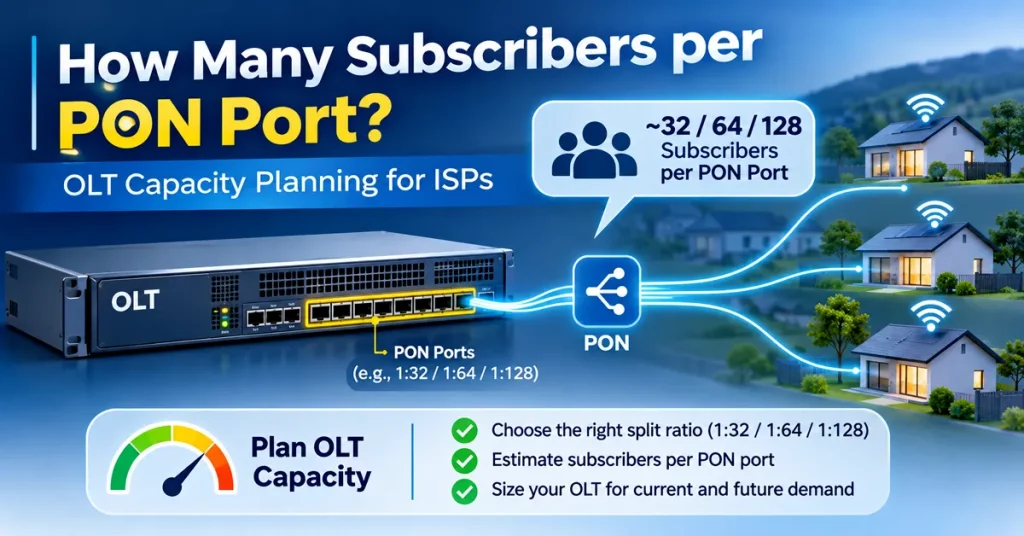
“How many subscribers can I put on one PON port?” is one of the most common questions when an ISP plans or expands a fibre network. The quick answer is 32 or 64, the usual splitter ratios. The useful answer depends on three things: how much bandwidth your subscribers actually use in the evening, how much optical loss your route can handle, and how many homes you are willing to lose at once if a port fails. This guide shows how to work out each one, with examples, so you can plan OLT capacity with confidence.
The short answer
| Situation | Practical subscribers per GPON port |
|---|---|
| Most new FTTH areas, mixed plans up to 100 to 200 Mbps | Plan for 32 to 64, and start filling at 1:64 only on short routes with the right optics |
| Long routes (several kilometres) or many joints | 32, because a 1:64 split may not fit the power budget |
| Dense apartments, short routes, heavy evening use | 64, but watch busy-hour usage closely and keep ports to split |
| Business customers or high-speed plans (300 Mbps and above) | Fewer per port, or a separate port, or XGS-PON |
Many GPON OLTs can register up to 128 ONTs on a port, but that is a technical limit, not a target. For most small and mid-size ISPs in India, the real limit is the optical power budget and evening bandwidth, which we cover below. If you have not chosen your PON technology yet, start with GPON vs EPON.
Step 1: Check bandwidth at the busy hour
A GPON port has about 2.4 Gbps downstream and 1.2 Gbps upstream, shared by every home on it. Not everyone downloads at full speed at the same time, so the right question is: how much traffic does the port carry at the busiest time of the evening?
The best way to find out is to measure your own network. Check the busy-hour traffic on a few existing ports in your OLT or monitoring tool, usually between 8 pm and 11 pm, and divide it by the number of active subscribers on that port. This gives you the busy-hour average per subscriber.
Example: A port has 50 active subscribers and carries 400 Mbps at its busiest. That is 400 ÷ 50 = 8 Mbps per subscriber at the busy hour.
Now use that number to plan:
| Subscribers on port | Busy-hour load at 8 Mbps each | Share of a 2.4 Gbps GPON port |
|---|---|---|
| 32 | About 256 Mbps | About 11% |
| 64 | About 512 Mbps | About 21% |
| 128 | About 1,024 Mbps | About 43% |
A common rule is to keep each port’s busy-hour load below about 70%, so speed tests stay good and short bursts have room. In this example, bandwidth on the port is not the limit even at 64 subscribers. Your busy-hour number will rise over time as plans get faster and more homes stream in 4K, so check it every few months and plan with room to grow.
Do not forget upstream. GPON upstream is about half of downstream. Homes with CCTV uploads, work-from-home video calls or cloud backup use more upstream than an average household.
Step 2: Check the optical power budget
Every splitter, kilometre of fibre, connector and splice reduces the light that reaches the ONT. If the total loss is more than your OLT optics can handle, the ONT will not work reliably, however much bandwidth is free. This is often the real reason ISPs cannot use 1:64 on longer routes.
Typical values used for planning:
| Item | Typical loss |
|---|---|
| 1:8 splitter | About 10.5 dB |
| 1:16 splitter | About 13.8 dB |
| 1:32 splitter | About 17.2 dB |
| 1:64 splitter | About 21 dB |
| Fibre, per km | About 0.35 dB (planning value) |
| Each connector | About 0.5 dB |
| Each fusion splice | About 0.1 dB |
| Safety margin for repairs and ageing | About 3 dB |
GPON optics come in classes. Class B+ allows about 28 dB of loss, and Class C+ about 32 dB. Two-stage splits, such as a 1:4 followed by a 1:8 for a total of 1:32, have slightly higher loss than one 1:32 splitter, so add the actual splitter values.
Example 1, 1:32 split, 5 km route: 17.2 (splitter) + 1.75 (5 km fibre) + 2.0 (4 connectors) + 1.0 (10 splices) + 3.0 (margin) = about 25 dB. This fits within Class B+.
Example 2, 1:64 split, same route: 21.0 + 1.75 + 2.0 + 1.0 + 3.0 = about 28.75 dB. This is over the Class B+ limit, so you would need Class C+ optics, a shorter route or fewer joints.
Your vendor’s datasheet values may differ from these, so use the figures for your actual splitters and optics. After installation, check the received power on each ONT from the OLT, and investigate any ONT close to its sensitivity limit.
Step 3: Decide how many homes you can lose at once
Every home on a port shares the same feeder fibre and the same OLT port. If the feeder is cut, or the port or its optic fails, everyone on it goes offline together. With 32 homes per port, a fault means 32 calls. With 128, it means 128 calls and a much bigger hit to your reputation.
For areas where outages are common, such as routes along roads with frequent digging, smaller groups and spare ports make faults easier to manage. Our guide on reducing downtime from fibre cuts covers how to make routes more reliable.
Step 4: Check the OLT uplink and your upstream bandwidth
A port can have plenty of room while the OLT’s uplink is full. Add up the busy-hour load of all ports on the OLT and compare it with the uplink.
Example: An 8-port OLT with 60 subscribers per port has 480 subscribers. At 8 Mbps each at the busy hour, that is about 3.8 Gbps. A single 1 Gbps uplink would be badly overloaded. This OLT needs a 10 Gbps uplink, and your upstream bandwidth from your provider must also cover the busy-hour total, with room to grow.
In many small ISPs, slow evening speeds come from the uplink or the bandwidth purchased from the upstream provider, not the PON port. Bandwidth monitoring tools help you see exactly where the bottleneck is.
Step 5: Plan for growth from day one
- Do not fill ports to the last splitter output. Plan to use about 75% to 80% of outputs at first, so you can add new homes and move customers during repairs.
- Keep spare feeder fibres from the OLT to each area, so a busy port can be split into two later without new cable work.
- Put splitters where you can reach them, in labelled boxes, so changing the split later is simple.
- Record which homes are on which port and splitter, so you know exactly who will be affected by a change or a fault.
- Leave room in the OLT chassis or buy a model with spare ports, so adding capacity does not mean replacing the OLT.
When to add a new port or split an existing one
Add capacity when any one of these is true:
- Busy-hour load on the port is regularly above about 70%
- Received power at some ONTs is close to their sensitivity limit
- All splitter outputs are used and new connections are waiting
- Speed complaints from one area keep rising in the evening
- You plan to launch faster plans, such as 300 Mbps or 1 Gbps, in that area
For areas with many high-speed or business subscribers, consider XGS-PON. It provides about 10 Gbps in both directions and can run on the same fibre and splitters as GPON.
Quick planning checklist
| Question | Where to find the answer |
|---|---|
| What is our busy-hour traffic per subscriber? | OLT or monitoring tool, 8 pm to 11 pm |
| Does the split fit the power budget? | Splitter, fibre, connector and splice losses vs optics class |
| How many homes can we afford to lose at once? | Your outage history and service promises |
| Is the OLT uplink large enough? | Total busy-hour load of all ports |
| Is our upstream bandwidth large enough? | Total busy-hour load of all OLTs, plus growth |
| Is there room to grow? | Spare splitter outputs, feeder fibres and OLT ports |
How ISPMate helps with capacity planning
ISPMate is cloud-based ISP billing software for internet service providers in India. It does not manage your OLT, but it gives you the subscriber data that capacity planning depends on:
- Active subscribers by area and by plan, so you know how many homes and which speeds sit in each area
- Plan speeds applied through RADIUS, so what you sell matches what the network delivers
- New connection leads by area, so you can see where demand is growing before ports fill up
- Complaint tickets by area, which often show an overloaded port before anything else
Building a new network? Our guide on how to start an ISP business in India covers the wider plan.
Frequently asked questions
How many subscribers can one GPON port support?
Most ISPs connect 32 to 64 subscribers per GPON port, using a 1:32 or 1:64 split. Many OLTs can register up to 128 ONTs per port, but the practical number depends on busy-hour bandwidth, the optical power budget of the route and how many homes you are willing to lose in a single fault.
Is 1:32 or 1:64 split better?
A 1:32 split gives more bandwidth per home and more power budget margin, so it suits longer routes and high-speed plans. A 1:64 split connects more homes per port and lowers OLT cost per subscriber, but it needs short routes or Class C+ optics and closer monitoring of evening usage.
How do I calculate bandwidth per subscriber on a PON port?
Measure the port’s traffic at the busiest time of the evening and divide it by the number of active subscribers on that port. Multiply that figure by the planned number of subscribers and keep the total below about 70% of the port’s capacity.
What is the power budget for GPON?
Class B+ GPON optics allow about 28 dB of total loss, and Class C+ about 32 dB. Add the losses of splitters, fibre length, connectors and splices, plus a safety margin of about 3 dB, and make sure the total stays within your optics class.
When should an ISP add a new PON port?
Add or split a port when busy-hour load regularly goes above about 70%, when ONT received power is close to its limit, when all splitter outputs are used, or when evening speed complaints from that area keep rising.
Planning to grow your fibre network? Book a free ISPMate demo or call +91-9310313545.
Sources: ITU-T G.984 series (GPON), ITU-T G.9807.1 (XGS-PON), and vendor datasheets for splitters and GPON optics. Loss values are typical planning figures and vary by product. Last reviewed: November 2026.