
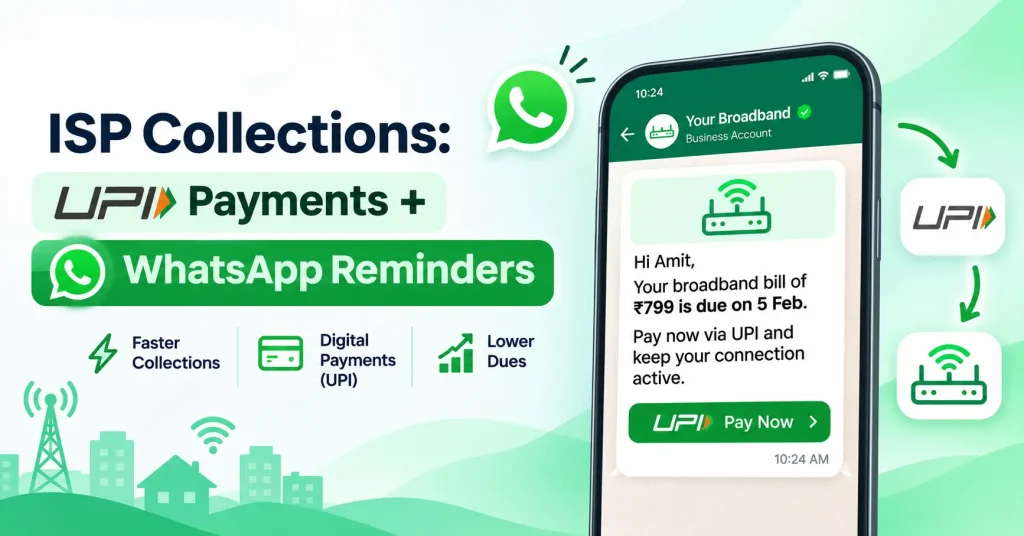
For most broadband ISPs in India, collections still depend on phone calls and collection agents going door to door. It works, but it is slow, it costs staff time every month, and cash is easy to lose along the way. A simpler flow is now possible: send each subscriber a WhatsApp reminder with a UPI payment link before their plan expires, record the payment automatically, and renew the connection the moment they pay. This guide shows how ISPs can set up UPI and WhatsApp collections step by step, with message templates, a reminder schedule and the rules to follow.
Why UPI and WhatsApp work well together
- Subscribers already use both every day. Most broadband customers in India pay by UPI and read WhatsApp messages more readily than SMS or email.
- Paying takes less than a minute. A link that opens the subscriber’s UPI app with the amount filled in removes every excuse to “pay later”.
- No cash handling. Online payments go straight to your account and can be matched to the subscriber automatically.
- Two-way conversation. If a subscriber has a question about the bill or a speed problem, they can reply on the same chat.
One example: SNS Internet, which sends billing alerts to about 15,000 subscribers a month, reported that its response rate rose from 12% to 74% after moving to WhatsApp and SMS alerts on one platform, according to a QuickMessage case study.
The collection flow, step by step
- Plan nears expiry. Your billing system knows each subscriber’s expiry date and amount due.
- WhatsApp reminder goes out automatically, with the plan, amount, due date and a payment link.
- Subscriber pays by UPI through the link, or by card or net banking if they prefer.
- Payment is recorded against the right subscriber by the payment gateway, without anyone typing it in.
- Plan renews and the connection stays on through RADIUS. If the plan had already expired, the internet comes back automatically.
- Confirmation is sent on WhatsApp with the new expiry date, and a GST invoice is created.
When every step happens automatically, your team only needs to follow up with the few subscribers who do not respond.
A reminder schedule that works
| When | Channel | Message |
|---|---|---|
| 3 days before expiry | Friendly reminder with amount and payment link | |
| 1 day before expiry | WhatsApp + SMS | “Your plan ends tomorrow” with the payment link |
| On the expiry day | WhatsApp + SMS | Last reminder before the connection stops |
| After expiry (if unpaid) | WhatsApp, then a phone call | “Your connection is paused. Pay here to restore it instantly.” |
| After payment | Payment received, new expiry date and invoice |
SMS acts as a backup for subscribers who do not use WhatsApp or have not agreed to receive WhatsApp messages. For more ways to keep collections on track, see how ISPs can collect broadband dues on time.
Sample WhatsApp reminder templates
On the WhatsApp Business API, messages you send first must use templates approved by Meta. Keep payment reminders strictly about the subscriber’s account, without offers, so they are approved as utility messages rather than marketing.
- 3 days before: “Hi {{name}}, your {{plan}} broadband plan expires on {{date}}. Amount due: ₹{{amount}}. Pay by UPI here to stay connected: {{link}} – {{ISP name}}”
- Expiry day: “Hi {{name}}, your internet plan expires today. Pay ₹{{amount}} here to avoid interruption: {{link}} – {{ISP name}}”
- After expiry: “Hi {{name}}, your broadband connection is paused because the plan has expired. Pay ₹{{amount}} here and it will restart automatically: {{link}} – {{ISP name}}”
- Payment received: “Thank you, {{name}}. We received ₹{{amount}}. Your {{plan}} plan is active until {{date}}. Invoice: {{invoice link}} – {{ISP name}}”
For 16 ready-made reminder templates written for broadband providers, see WhatsApp payment reminders for ISPs. QuickMessage also has general examples for payment reminder and renewal reminder templates.
WhatsApp rules every ISP should follow
- Use the official WhatsApp Business API. Bulk messages from a personal number or unofficial tools can get the number blocked, and you lose every chat on it.
- Get consent. Add a line to your connection form (CAF) or welcome message where the subscriber agrees to receive billing updates on WhatsApp.
- Use approved templates for messages you start. Within 24 hours of a subscriber’s last message, you can reply freely.
- Keep reminders and offers separate. Mixing a Diwali offer into a payment reminder can change the template category and its cost.
- Know the cost. Meta charges per template message based on its category, and utility messages cost much less than marketing messages. Check current rates on the QuickMessage pricing page.
Getting the UPI side right
- Send a payment link per subscriber, with the amount filled in, through a payment gateway. The payment then arrives with the subscriber’s details attached.
- Avoid a single static QR code printed on bills or shared on WhatsApp. Payments to it arrive without a subscriber reference, and someone has to match them by hand.
- Do not accept screenshots as proof of payment. Confirm every payment from the gateway status, not from an image the subscriber sends.
- Give collection agents a way to collect online too, so a subscriber who prefers to pay at the door can still pay by UPI against their own account.
- Keep the GST invoice automatic. Each successful payment should create the invoice for that renewal. See why manual GST invoicing breaks.
Handle replies, not just reminders
Once reminders go out on WhatsApp, subscribers will reply: “I already paid”, “please send the bill”, “my speed is slow”. These replies are useful, but only if someone answers them. Use a shared team inbox so billing and support staff can see and assign chats from one business number, instead of replies landing on one person’s phone. Turn speed or connection problems into complaint tickets so they are not lost in chat.
Numbers to track every month
- Renewed before expiry: the share of subscribers who paid before their plan ended
- Paid online: the share of collections by UPI and other online modes versus cash
- Read and reply rate of your WhatsApp reminders
- Expired and unpaid after 3 and 7 days
- Cash collected by agents, which should fall month by month
To see these at a glance each morning, see 12 numbers to check on your ISP dashboard.
Common mistakes
- Sending the first reminder after the plan has already expired
- Reminders without a payment link, which turn into “I’ll pay later”
- Sending from a personal WhatsApp number to hundreds of subscribers
- Matching UPI payments by hand from bank statements
- No backup SMS for subscribers who do not use WhatsApp
- Nobody answering subscribers’ replies to reminders
How ISPMate and QuickMessage work together
ISPMate is cloud-based ISP billing software for internet service providers in India. It handles the billing side of the flow:
- Expiry dates, amounts due and renewal reminders for every subscriber
- Online payments by UPI, card or net banking, recorded against the subscriber automatically
- Automatic suspension on expiry and reconnection on payment through RADIUS
- A GST invoice for every recharge or billing cycle
- Cash collected by field agents tracked until the office approves it
- A customer portal and app where subscribers check dues and renew on their own
QuickMessage is a separate, paid messaging platform from the same team. It provides the official WhatsApp Business API for your reminders and replies:
- Meta-approved templates for payment and renewal reminders
- A shared team inbox so your staff can answer subscriber replies from one number
- Delivery, read and reply reports for every campaign
- SMS from the same platform as a backup channel
See how other ISPs use it on the WhatsApp API for ISPs page.
Frequently asked questions
How can an ISP collect payments through WhatsApp?
Send each subscriber a WhatsApp reminder from the official WhatsApp Business API with the amount due and a UPI payment link. When the subscriber pays, the payment gateway records it against their account and the billing system renews the plan automatically.
Is it allowed to send payment reminders on WhatsApp?
Yes, if you use the WhatsApp Business API, send Meta-approved templates and message only subscribers who have agreed to receive updates from you on WhatsApp.
How much does a WhatsApp payment reminder cost?
Meta charges per template message based on its category. Payment and renewal reminders are usually utility messages, which cost much less than marketing messages. Rates change from time to time, so check your provider’s current pricing.
Should an ISP use a static UPI QR code for collections?
It is better to send a payment link per subscriber. Payments to a single static QR code arrive without a subscriber reference and have to be matched by hand, while a per-subscriber link records the payment against the right account automatically.
What if a subscriber does not use WhatsApp?
Send the same reminder by SMS with the payment link, using a DLT-registered template. Most ISPs use WhatsApp as the main channel and SMS as a backup.
Want reminders, UPI payments and renewals to run on their own? Book a free ISPMate demo or call +91-9310313545.