
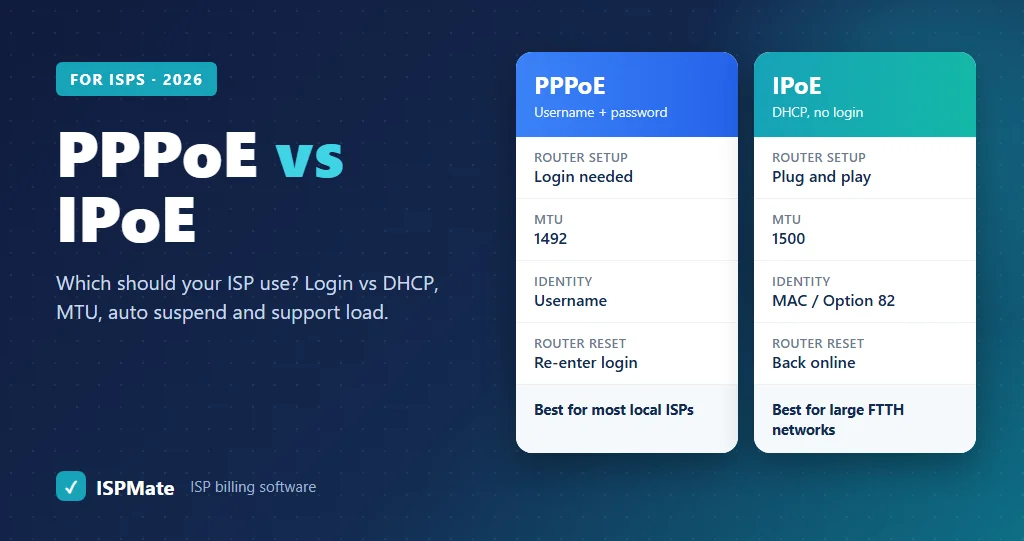
Every ISP has to decide how a customer’s router gets online and how the network knows who that customer is. In India, most local broadband and FTTH operators use PPPoE, while some larger networks use IPoE, where the router gets its address through DHCP. Both work. The right choice depends on your network equipment, how you authenticate and bill customers, and how much support load you can handle. This guide explains PPPoE vs IPoE in plain language, compares them side by side, and helps you decide which to use.
What is PPPoE?
PPPoE (Point-to-Point Protocol over Ethernet) creates a login session between the customer’s router and your access server, often called a BRAS, BNG or NAS. The router sends a username and password, your RADIUS server checks them, and if the account is active, the session starts and the router gets an IP address.
- Each customer has a clear session with a start time, end time and data usage.
- Speed limits, suspension and reconnection are applied per session through RADIUS.
- The router must be configured with the PPPoE username and password.
- PPPoE adds 8 bytes to every packet, so the usual MTU is 1492 instead of 1500.
What is IPoE (DHCP)?
IPoE (IP over Ethernet) does not use a login. The customer’s router asks for an IP address through DHCP, like a home device on a normal network. The network identifies the customer by something it already knows:
- the router’s MAC address, or
- DHCP Option 82, where the switch or OLT adds information about the port or line the request came from.
Your access server or DHCP server checks this with RADIUS and gives the customer an address, speed profile and access, or blocks them. There is no username or password to type, and the MTU stays at 1500.
PPPoE vs IPoE: side-by-side comparison
| PPPoE | IPoE (DHCP) | |
|---|---|---|
| How the customer is identified | Username and password | MAC address or DHCP Option 82 (port or line) |
| Router setup | Username and password must be entered | Plug and play, no login |
| MTU | Usually 1492 | 1500 |
| Session tracking | Clear sessions with start, stop and usage | Based on DHCP leases and the access server’s session handling |
| Speed limits and suspension | Per session through RADIUS | Per subscriber through RADIUS and the access server |
| Customer resets router | Internet stops until the login is entered again | Usually comes back online automatically |
| Moving to another location | Works anywhere the login is accepted | Tied to the MAC or port, so moves need a change in records |
| Security risks | Shared or stolen passwords | MAC spoofing, if Option 82 and switch protections are not used |
| Network equipment needed | A PPPoE server or BRAS; widely supported | Access equipment that supports DHCP relay, Option 82 and subscriber management |
| Router CPU load | Higher, because every packet is wrapped in PPPoE | Lower |
| Common in India | Most local cable, broadband and FTTH ISPs | Some larger and newer networks |
Advantages of PPPoE
- Simple to start. Most routers and network equipment used by local ISPs support PPPoE out of the box.
- Clear identity. Every session belongs to a username, which makes billing, usage records and log searches easy.
- Works on any access network: FTTH, Ethernet, wireless or cable.
- Easy suspension. When a plan expires, RADIUS can reject the login or disconnect the session, and the customer goes offline.
- Portable. The customer can be moved to another port or area without changing the account.
Disadvantages of PPPoE
- Router configuration calls. A factory reset or a new router means the customer has no internet until someone enters the login again. This is one of the most common support calls for PPPoE networks.
- Smaller MTU. The 1492 MTU can cause some websites or VPNs to load slowly or fail unless MSS clamping is set on the server.
- Higher load on the access server. Every packet has to be wrapped and unwrapped, so the PPPoE server needs enough processing power as subscribers grow.
- Password sharing. A login can be used on another router unless you limit simultaneous sessions or bind it to the customer’s line or MAC.
Advantages of IPoE
- Plug and play. No login on the router, so fewer setup and reset calls.
- Full 1500 MTU, with no packet-size problems.
- Less overhead, which helps at high speeds and large subscriber counts.
- Line-based identity with Option 82. The customer is identified by the physical port or line, which is hard to fake.
Disadvantages of IPoE
- More network design. You need DHCP relay, Option 82 support, DHCP snooping and protection against IP and MAC spoofing on your switches or OLTs.
- Equipment support varies. Not every access device or bandwidth manager handles IPoE subscriber management the same way.
- Moves and changes need record updates, because the identity is tied to a MAC or port.
- MAC-only setups are weak. Without Option 82, anyone who copies a MAC address may get service.
How the choice affects billing and auto suspend
Whichever method you use, your billing system and RADIUS server must stay in sync with the network:
| Task | PPPoE | IPoE |
|---|---|---|
| New customer | Create username, password and plan speed in RADIUS | Register MAC or Option 82 line details with the plan |
| Plan expires | Reject login or disconnect the session | Block access or move to a restricted profile |
| Customer pays | Allow login and reconnect | Restore the normal profile |
| Plan upgrade | Change the speed profile in RADIUS | Change the speed profile in RADIUS |
| Logs and usage | Linked to the username | Linked to the MAC, port or line |
For a step-by-step look at expiry and reconnection, read our guide on auto suspend and reconnect, and for the basics of RADIUS, see the ISP RADIUS guide.
Which should you use?
| Your situation | Usually the better choice |
|---|---|
| Small or growing local ISP, mixed equipment | PPPoE |
| Cable TV operator adding broadband | PPPoE |
| Customers move between areas or share infrastructure with partners | PPPoE |
| Large FTTH network with OLTs that support Option 82 and a BNG | IPoE, or both |
| Many support calls about router resets and logins | Consider IPoE, or keep PPPoE and push router settings remotely |
| Not sure | Start with PPPoE; it is simpler and widely supported |
Many ISPs do not pick only one. They keep PPPoE for existing customers and use IPoE for new FTTH areas where the equipment supports it.
Reduce PPPoE support calls with TR-069
The biggest complaint about PPPoE is router setup after a reset or replacement. If your routers and ONTs support TR-069, an auto configuration server (ACS) can push the PPPoE login and Wi-Fi settings to the device from your office. Read more in TR-069 for ISPs.
Common mistakes
- No MSS clamping on PPPoE, which makes some websites and apps fail.
- Unlimited simultaneous sessions, which lets one login run on several routers.
- IPoE with MAC only and no switch protections, which makes theft of service easy.
- Billing and RADIUS kept separate, so expired customers stay online and paid customers stay offline.
- No logs linked to the customer. Whichever method you use, you must be able to tell which customer used which IP address at a given time.
How ISPMate helps
ISPMate is cloud-based ISP billing software for internet service providers in India, with built-in RADIUS and NAS integration:
- PPPoE users created, speed-limited, suspended on expiry and reconnected on payment
- Works with MikroTik and other types of NAS
- Integrates with Jaze, IPACCT, Height8, DMA, XceedNet and 24online
- CTS/NAT logs, auth logs and concurrent session logs, stored and searchable
- Real-time and history usage graph for each subscriber
- TR-069 device management for supported routers and ONTs
Planning an IPoE network? Tell us about your equipment during the demo, and we will show you how ISPMate fits your setup.
Frequently asked questions
What is the difference between PPPoE and IPoE?
PPPoE identifies a customer with a username and password and creates a login session, while IPoE gives the router an address through DHCP and identifies the customer by MAC address or the port or line, using DHCP Option 82. PPPoE needs a login on the router; IPoE does not.
Which is better for an ISP, PPPoE or IPoE?
For most small and growing ISPs in India, PPPoE is simpler and works with almost all equipment. IPoE suits larger FTTH networks with access equipment that supports Option 82 and subscriber management, and it reduces router login problems.
Why is the PPPoE MTU 1492?
PPPoE adds 8 bytes of header to every packet. On a normal Ethernet link with a 1500-byte limit, that leaves 1492 bytes for the IP packet. MSS clamping on the server helps avoid problems with websites and VPNs.
Can IPoE customers be suspended automatically when their plan expires?
Yes. With RADIUS and access equipment that supports IPoE subscriber management, an expired customer can be blocked or moved to a restricted profile, and restored when they pay.
Can an ISP use both PPPoE and IPoE?
Yes. Many ISPs keep PPPoE for existing customers and use IPoE in new areas where their equipment supports it. The billing system and RADIUS server need to handle both.
Want billing and RADIUS that keep your network in sync? Book a free ISPMate demo or call +91-9310313545.
Last reviewed: November 2026.