
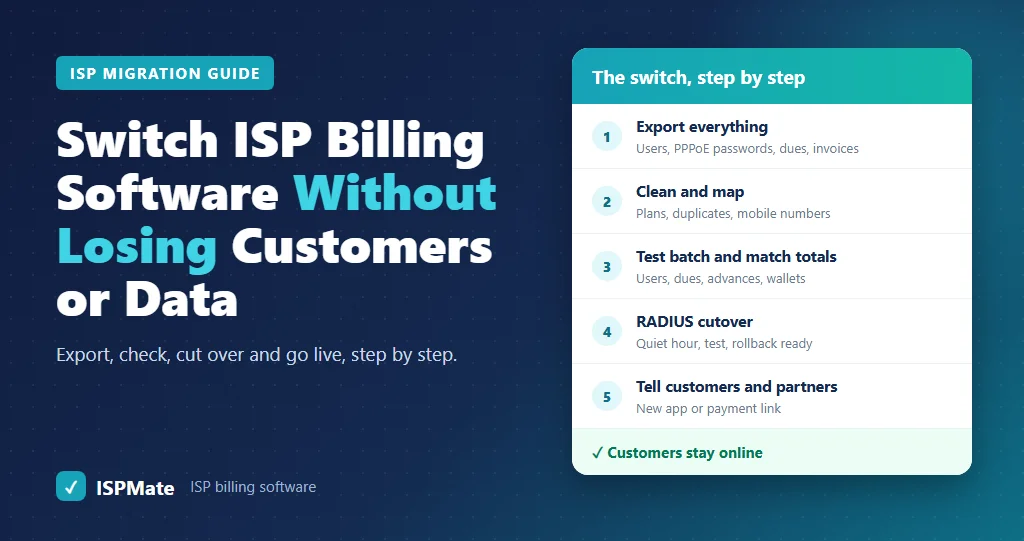
Many ISPs stay with billing software they are unhappy with for one reason: fear of the switch. What if customers go offline? What if balances are wrong, or old invoices disappear? These are real risks, but they are avoidable. Switching ISP billing software is mostly a planning job: get the right data out of the old system, check it, move the network carefully, and tell customers what changes for them. This guide walks through each step, with a checklist you can follow.
If you are still on Excel, start with 7 signs your ISP has outgrown Excel billing. This guide is for ISPs moving from one billing system to another.
What can go wrong in a switch
| Risk | What happens | How to prevent it |
|---|---|---|
| PPPoE passwords not exported | Customers’ routers cannot log in to the new RADIUS, and internet stops | Confirm early that passwords can be exported in usable form |
| Wrong expiry dates | Paid customers get suspended, or expired ones stay online | Compare expiry dates for a sample before go-live |
| Wrong dues and balances | Customers are asked to pay twice, or dues are lost | Match total outstanding in both systems |
| Lost history | Old invoices and payments cannot be found for GST or disputes | Export and keep invoices, payments and receipts |
| Reseller wallet mismatch | Partners lose money or get extra credit | Freeze wallets, carry over balances and get partners to confirm |
| Old system switched off too early | No way to check a problem after go-live | Keep read-only access for a few months |
Step 1: Check your contract and data access
Before you tell your current vendor anything, read your agreement:
- the notice period and any lock-in;
- whether you can export all your data, in what format, and at what cost;
- how long your account stays accessible after you leave;
- who owns the data. It should be you.
Plan the switch so that the old subscription ends after you go live on the new one, not before.
Step 2: Export everything, not just the customer list
Ask for exports in Excel or CSV. A complete export includes:
| Data | Why you need it |
|---|---|
| Subscribers: name, mobile, email, address, area, customer ID | The base of your new system |
| KYC and CAF documents | Compliance and identity records |
| Connection details: PPPoE username and password, plan, NAS, static IP, MAC binding | So customers stay online after the switch |
| Plan, start date, expiry date and status of each subscriber | Correct renewals and suspensions |
| Outstanding dues, advance payments and credit balances | Correct collections |
| Plans and prices, with GST settings | Same plans on day one |
| Invoices, receipts and payment history | GST records, disputes and audits |
| Resellers and franchises, their subscribers and wallet balances | Partner accounts and commissions |
| Open complaints | So no customer issue is dropped |
| Inventory: devices issued to customers and engineers | Stock records |
| Usage and session logs, including NAT logs | Records you may need to keep under your licence |
PPPoE passwords are the most important item. Some systems store passwords in a form that cannot be exported. If yours does, plan for it before go-live: reset passwords and update routers remotely where possible, or move users in batches, area by area.
Keep old invoices and payment records safely after the switch. GST law requires accounts and records to be kept for 72 months from the due date of the annual return for the year they relate to.
Step 3: Clean and map the data
Old systems collect mistakes. Fix them before import, not after:
- Remove duplicate customers and test accounts.
- Correct mobile numbers, because renewal reminders and OTPs depend on them.
- Match each old plan to a plan in the new system, with the same speed, validity and price.
- Decide what happens to old and terminated users: import them as inactive so they can be won back later, or keep them only in the archive.
- Check that every subscriber is linked to the right area, branch or reseller.
Step 4: Set up the new system before you import
- Company details, GST number and invoice format
- Plans, taxes and renewal rules
- Payment gateway, SMS and WhatsApp
- Staff logins, roles and permissions
- Reseller and franchise panels and their pricing
- RADIUS and NAS connection details
For invoices, a common approach is to start a new invoice series with a different prefix on the go-live date, so old and new invoice numbers never clash. Check the format with your accountant. Our guide on GST invoicing for ISPs explains the basics.
Step 5: Import a test batch and check it
Import a small batch first, for example 50 subscribers from different plans, areas and resellers. For each one, compare the old and new systems:
- plan, speed and expiry date;
- dues or advance balance;
- PPPoE username and password;
- contact details and documents.
Then import everything and compare totals: number of active subscribers, total outstanding dues, total advance balance and each reseller’s wallet. The totals should match before you go further.
Step 6: Run both systems side by side
For a short period, record payments in both systems, or record them in the old one and import them again just before go-live. This lets you see whether renewals, invoices and reminders in the new system give the same result. Many ISPs pick a quiet period, away from the busiest renewal days, for the final switch.
Step 7: Move the network (the cutover)
This is the step that decides whether customers notice the switch:
- Pick a low-traffic time, such as late night.
- Freeze changes in the old system: no new connections, renewals or plan changes during the cutover.
- Run a final import of payments, renewals and new customers since the last import.
- Point your NAS or bandwidth manager to the new RADIUS server, with the new server address and shared secret. If you have several NAS devices, move one first and test.
- Test with real accounts: an active user logs in, an expired user is blocked, a payment reconnects a user, and a plan change applies the new speed.
- Watch authentication logs for failed logins and fix them quickly.
Sessions that are already connected usually stay up, and new logins go to the new RADIUS server. Keep a rollback plan: if something goes badly wrong, you can point the NAS back to the old server while you fix it. For RADIUS basics, see the ISP RADIUS guide.
Step 8: Tell your customers and partners
Customers do not need to know about your software, but they do need to know what changes for them:
- a new customer app or portal link, and how to log in;
- a new payment link or UPI details, if they change;
- that their plan, expiry date and balance stay the same.
Send one clear SMS or WhatsApp message on go-live day. Brief your support team and resellers in advance, so they can answer questions with the same message.
Step 9: Check everything after go-live
- First day: failed logins, payments received, and reconnections after payment.
- First week: renewal reminders sent, invoices correct, reseller recharges and wallets working.
- First month: total collections and outstanding dues compared with the month before, and GST invoice reports ready for filing.
Keep read-only access to the old system, or a full export, for at least a few months to answer questions about old payments.
Switching checklist
| Task | Done? |
|---|---|
| Contract, notice period and data export terms checked | ☐ |
| Full export taken, including PPPoE passwords, dues, invoices and reseller wallets | ☐ |
| Duplicates removed and mobile numbers corrected | ☐ |
| Plans mapped and new system set up (GST, gateway, SMS, staff, resellers) | ☐ |
| Test batch imported and checked | ☐ |
| Totals matched: active users, dues, advances and wallets | ☐ |
| Cutover time chosen and changes frozen in the old system | ☐ |
| NAS pointed to new RADIUS and tested with real accounts | ☐ |
| Rollback plan ready | ☐ |
| Customers, staff and resellers informed | ☐ |
| First day, first week and first month checks done | ☐ |
| Old records kept safely for GST and disputes | ☐ |
Common mistakes
- Cancelling the old system first, then finding data is missing.
- Importing without checking totals. One wrong column can change every customer’s dues.
- Switching on the busiest renewal day of the month.
- Changing plans and prices during the switch. Move first, change plans later.
- Forgetting resellers, whose wallets and customers need the same care as your own.
How ISPMate helps you switch
ISPMate is cloud-based ISP billing software for internet service providers in India. The ISPMate team helps with the move so your billing keeps running while you switch:
- Subscribers, plans and balances imported from Excel or CSV during setup
- Help setting up your plans, GST and payment gateways
- IPACCT user import for quick migration
- Built-in RADIUS that works with MikroTik and other NAS, and integrates with Jaze, IPACCT, Height8, DMA, XceedNet and 24online
- Old and terminated users kept in a separate list for win-back
- Support on phone, email and WhatsApp after you go live
Comparing systems before you switch? Read how to choose the best ISP billing software.
Frequently asked questions
Will my customers lose internet when I switch billing software?
They should not, if the switch is planned. Customers stay online when their PPPoE usernames, passwords, plans and expiry dates are moved correctly and the NAS is pointed to the new RADIUS server at a quiet time, with testing and a rollback plan.
What data should I export from my old ISP billing software?
Export subscribers, KYC documents, PPPoE usernames and passwords, plans, expiry dates, dues and advance balances, invoices and payments, reseller wallets, open complaints, inventory and usage logs, in Excel or CSV format.
What if my old software does not export PPPoE passwords?
Plan for it before go-live. You can reset passwords and update routers remotely where your devices support it, or move users in batches, area by area, so your team can update routers without a large outage.
How long does it take to switch ISP billing software?
It depends on the number of subscribers, the quality of your data and how many resellers and network devices you have. Checking and cleaning the data usually takes longer than the import itself, so start with a full export early.
Do I need to keep my old invoices after switching?
Yes. Keep old invoices, receipts and payment records safely, because GST law requires accounts and records to be kept for 72 months from the due date of the annual return. They also help settle customer disputes.
Planning to switch? Book a free ISPMate demo with your own plans, or call +91-9310313545.
This article is general guidance, not legal or tax advice. Check GST record-keeping and invoice requirements with your accountant. Last reviewed: November 2026.