
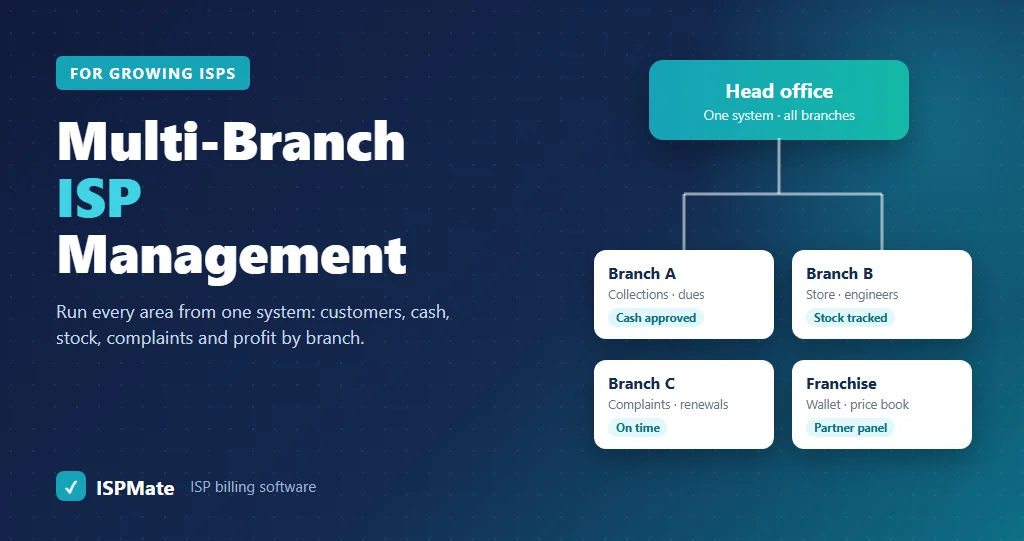
Most ISPs start in one area with one office. Then a second area is added, then a branch in the next town, and soon the owner is running several offices, each with its own staff, cash, stock and customers. If every branch keeps its own Excel sheet or its own software, the owner loses sight of what is really happening. Multi-branch ISP management means running all those areas from one system, with each branch in control of its own work and the head office seeing everything. This guide explains how to set it up, what to track for each branch, and the mistakes to avoid.
Signs your ISP needs a multi-branch setup
- You have more than one office, area or town, with local staff in each.
- Cash collected in branches reaches the head office late, or does not match.
- You cannot see dues, renewals or complaints for one branch without calling someone.
- Stock moves between offices with no record.
- Branch staff can see or change customers in other branches.
- You do not know which branch is actually making a profit.
Separate systems vs one system
| Each branch runs its own records | All branches in one system | |
|---|---|---|
| Customer data | Spread across sheets and software | One database, filtered by branch |
| Plans and prices | Each branch makes its own changes | Set centrally, with local prices only where allowed |
| Cash and collections | Reported at month end | Visible every day, with handover and approval |
| Stock | Counted separately, transfers not recorded | Stores per branch, with recorded transfers |
| Complaints | Each office has its own list | One queue, routed to the right branch and engineer |
| Reports | Combined by hand | Company totals and branch figures from the same data |
| Control | Depends on trust in each branch manager | Roles, permissions and audit logs |
Branches, franchises or separate companies?
Before setting up the system, be clear about what each location is:
| Type | Who owns the customers and cash | How to run it |
|---|---|---|
| Own branch | Your company | Branch staff with limited access in your system |
| Franchise or LCO partner | Shared, as per your agreement | Partner panel with a prepaid wallet and price book |
| Separate company or GST registration | That company | Separate company in the same software, with its own invoices |
One point to check with your accountant: GST registration is state-wise, so branches in another state usually need their own GST registration, and their invoices must carry that GSTIN. Partners are covered in our guide to managing franchise and LCO partners.
How to run several branches from one system
1. One customer database, organised by branch and area
Every subscriber belongs to a branch and an area within it. This makes it easy to see a branch’s customers, assign complaints and collect dues area by area, while the head office still sees the full picture.
2. Roles and access for each branch
Give each person only what they need. A branch manager sees and manages their branch; a collection agent records payments; an engineer sees their tasks; the head office sees everything. This protects customer data and stops changes in the wrong place.
3. Central plans and prices
Set plans once at the head office. If prices differ by area, decide them centrally rather than letting each branch create its own plans. Too many local plans make billing, reports and upgrades harder.
4. Cash collection with handover and approval
Branch cash is the biggest risk. Every payment should be recorded when it is taken, stay pending until it is handed over and approved, and be matched against bank deposits. Online payments by UPI and cards should be recorded automatically for every branch. See how ISPs collect broadband dues.
5. A store for each branch
Each branch keeps its own store of ONTs, routers and fibre. Stock moves between branches only as a recorded transfer, and devices are issued to named engineers. This is where stock leakage usually starts in growing ISPs.
6. Complaints routed to the right team
Complaints go into one system and reach the engineers of the right branch and area, with time limits and escalation. The head office can see which branch has the most open or late complaints.
7. Expenses and profit for each branch
Record rent, salaries, bandwidth share, fuel and repairs by branch, so you can see what each location earns after costs, not just what it collects.
8. Audit logs
With many people in many offices, keep a record of every login and change. If a plan price, discount or payment entry is changed, you can see who did it and when.
Network: one RADIUS, many locations
Branches often have their own NAS devices or bandwidth managers. Connecting all of them to one billing system and RADIUS server means a customer’s plan, suspension and reconnection work the same way in every branch, and logs are kept in one place. Read more in the ISP RADIUS guide.
Numbers to compare across branches
| Number | What it tells you |
|---|---|
| Active subscribers and new connections | Whether the branch is growing |
| Renewals due and renewed | How well the branch keeps customers |
| Collections and pending cash | Whether money reaches the company on time |
| Outstanding dues | Credit risk in the branch |
| Open and late complaints | Service quality and engineer workload |
| Stock in hand and stock with engineers | Possible leakage |
| Expenses and profit | Whether the branch is worth expanding |
A short daily look at the dashboard, and a monthly review of these numbers with each branch manager, catches most problems early. Our guide to the ISP dashboard shows what to check every morning.
Opening a new branch: a checklist
| Task | Done? |
|---|---|
| Decide: own branch, franchise or separate company | ☐ |
| Check GST registration if the branch is in another state | ☐ |
| Create the branch, its areas and its store in the system | ☐ |
| Add staff with the right roles and permissions | ☐ |
| Connect the branch NAS or bandwidth manager to RADIUS | ☐ |
| Set plans and prices for the area | ☐ |
| Set up cash handover and approval rules | ☐ |
| Transfer opening stock to the branch store | ☐ |
| Agree monthly targets and the review routine | ☐ |
Common mistakes
- Giving every staff member full access “for now”.
- Letting branches create their own plans, until nobody knows the real price list.
- Accepting branch cash reports at month end instead of daily.
- Moving stock between branches without a transfer entry.
- Judging branches only by collections, without counting their expenses.
How ISPMate helps multi-branch ISPs
ISPMate is cloud-based ISP billing software for internet service providers in India, from single-area operators to multi-branch networks with resellers:
- Role management to control what each staff member can see and do
- Staff tasks, attendance and live location for field teams
- Multiple stores and store transfers, with devices assigned to engineers and customers
- Cash and cheque collected by field agents tracked until approved
- Dashboard and reports on billing, complaints, payments, sales and customers
- Expenses by category and a real-time profit and loss report
- Deep audit logs and company management for more than one company
- Reseller and franchise panels with wallets and price books
- Built-in RADIUS that works with MikroTik and other NAS
Frequently asked questions
What is multi-branch ISP management?
It means running all of an ISP’s offices and areas from one system, with one customer database, central plans and prices, branch-level access for staff, and reports that show both company totals and each branch’s performance.
Should each branch have its own billing software?
Usually not. Separate systems make it hard to see total collections, dues and stock, and to control prices. One system with branch-level roles and records gives each branch what it needs while the head office keeps control.
How do I control cash collected in branches?
Record every payment when it is taken, keep cash pending until it is handed over and approved, and match collections against bank deposits every day. Encourage customers to pay online, so payments are recorded automatically.
Do branches in another state need a separate GST registration?
Usually yes, because GST registration is state-wise. A branch supplying services from another state generally needs its own registration and must issue invoices with that GSTIN. Confirm the details with your accountant.
What is the difference between a branch and a franchise?
A branch is owned and staffed by your company, so its customers and cash are yours. A franchise or LCO partner runs its own business under an agreement with you, usually with a partner panel, a prepaid wallet and set prices.
Running more than one area? Book a free ISPMate demo or call +91-9310313545.
This article is general guidance, not tax advice. Check GST registration and invoicing for your branches with your accountant. Last reviewed: November 2026.